The software that runs our driving school. Now it can run yours.
Online booking and payments, apps for students and instructors, and a dashboard with analytics for your office. We built it for our own school and use it every day — we'll set it up under your brand, move your data over and keep it running for you.
We move youfrom your current system or spreadsheets
Why not just book over WhatsApp?
Messengers work while the school is small. Then the office spends the day answering chats, and nobody sees the whole picture.
Topic
Booking over WhatsApp
With Ritmi
Booking
The office answers every message by hand, and only during working hours
Students book themselves 24/7 in the app or on the website
Schedule
Lives in a notebook or a spreadsheet, so double bookings and mix-ups happen
One live schedule: students only see slots that are really free
Payments
Cash or transfers after the lesson, and chasing debts
Paid online when booking; packages and remaining lessons are counted automatically
No-shows
Students forget, instructors wait in the car
Automatic reminders in the app before every lesson
Instructors
Get their day in a chat and call the office about every change
Their own app with a calendar and instant notifications about new bookings
Numbers
Utilization and revenue are a gut feeling
Hours taught, idle time and revenue for every instructor, by day and month
Quality
Feedback gets lost in chats
Students rate every lesson, and you see ratings per instructor
Changes
Who moved that lesson? Nobody remembers
Every schedule change is logged: who, what and when
Apps for everyone in your school
Students, instructors and your office work in the same schedule — a lesson booked on a phone instantly appears in the instructor's calendar and in your reports.
Student app — iOS, Android and web
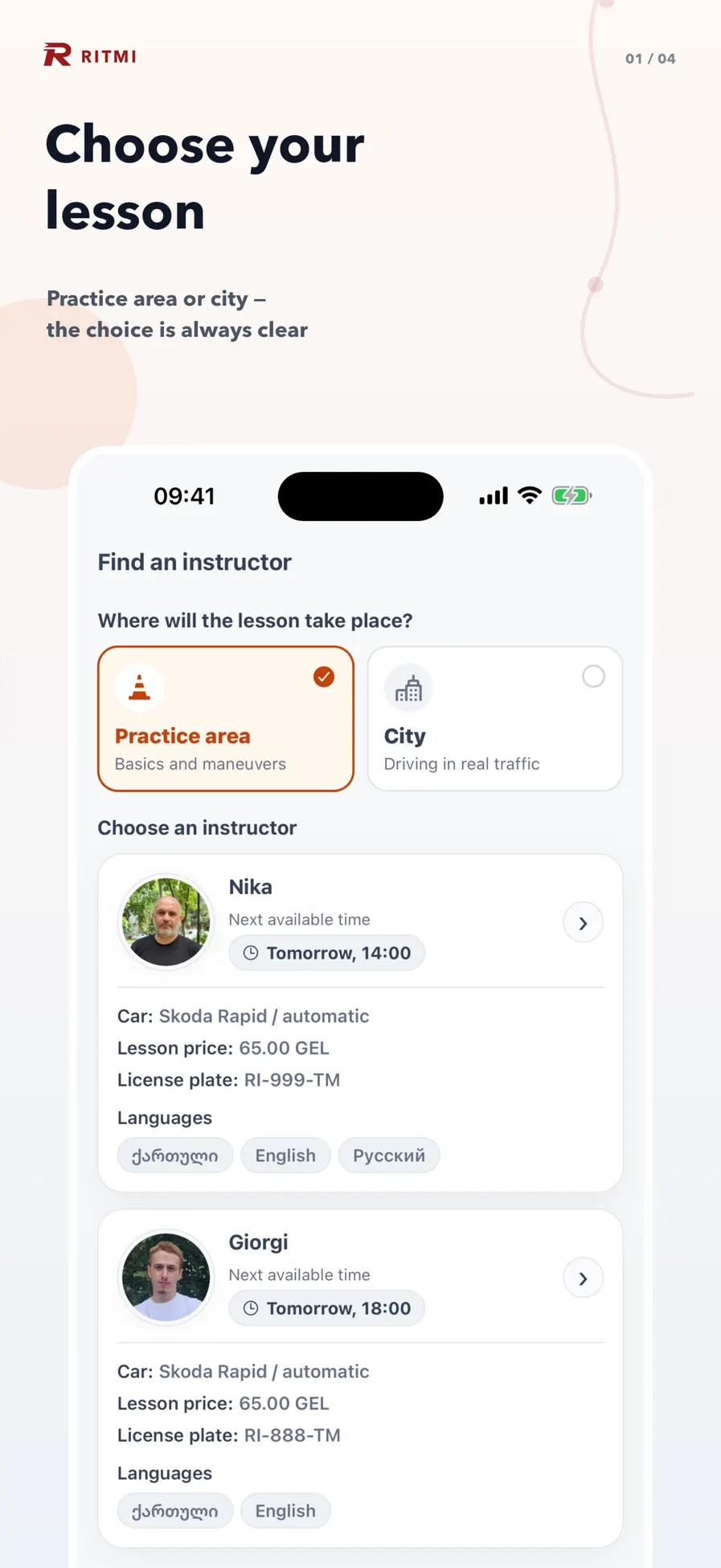
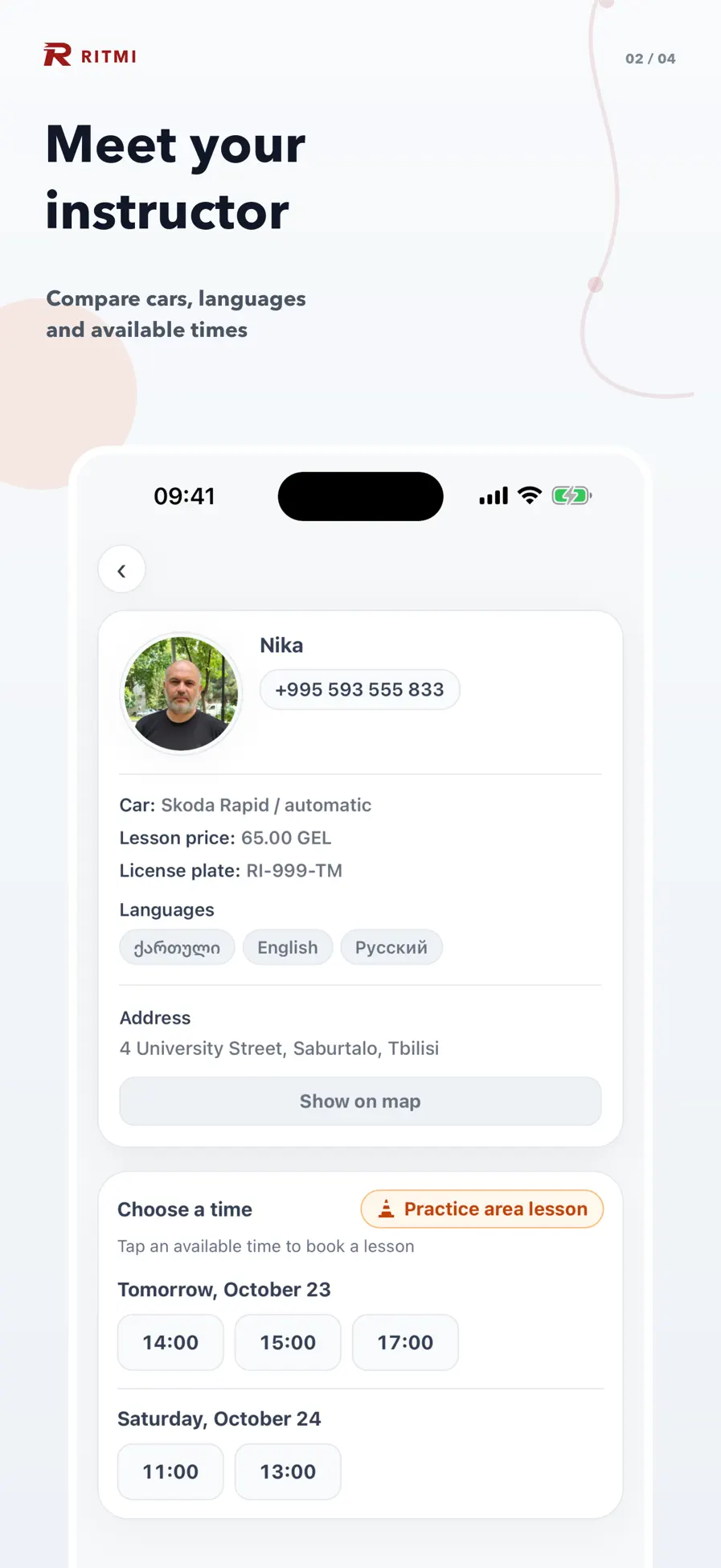
Choose an instructor by car, gearbox, language and next free time
Book a lesson in a few taps — in the app or on your website
Pay by card, Apple Pay or Google Pay, for one lesson or a package
Sign in with a phone number, Google or Apple
Lesson reminders and a list of upcoming lessons
Rate every lesson after it ends
Instructor app — iOS and Android
A personal calendar with every booked lesson
Schedule generated automatically from working hours
Open, close and move slots in seconds
Notifications about new bookings and student ratings
Practice-area and on-road lessons kept apart
Dashboard for your office
Every instructor's schedule on one screen
Students, lesson packages and remaining balances
Payment and booking history
Utilization and revenue analytics
A log of every schedule change
Push messages to students and instructors
Numbers instead of guesses
The dashboard shows how your school actually works — for every instructor, day and month.
Instructor utilization
Hours taught versus idle time, day by day — see who is overloaded and where slots stay empty.
Lessons and revenue
Lessons given and estimated revenue for every instructor in any month.
Student ratings
Ratings and comments after every lesson, collected per instructor.
Lesson balances
Who has paid lessons left and who is due to buy a new package.
Where students come from
Tracking links and website analytics show which ads and channels bring people to your booking page.
Schedule change log
Every move, cancellation and new slot, with who made it and when.
Already using another system? Switching is seamless
You don't start from scratch. We move your data into Ritmi ourselves and plan the switch so that not a single lesson is disrupted.
We import students, instructors, cars, lesson balances and upcoming bookings
From your current software — through its export or API — or from plain spreadsheets
Both systems can run side by side until you're ready to switch
We connect the tools you keep and train your office and instructors
What we do for you
Setup and launch
We add your instructors, cars, prices, lesson types and working hours, and help everyone get started.
Your brand
Your name, logo and colors across the booking site and the apps, so students see your school, not ours.
Tailored to how you work
Lesson length, packages, cancellation rules, languages, currency and time zone — we adapt the system to your process, not the other way round.
Any integration
Payment providers, CRM, accounting, calendars, SMS, your current website — we connect the tools you already use.
Cloud or your servers
Use our managed cloud, or we deploy the whole system on your own servers and hand you the keys.
Support from people who run a school
Talk directly to the team that built the system. We fix issues, answer questions and keep improving it with you.
One simple price
$199/ month
Everything your school needs, with setup, migration, support and changes included.
Student booking site and apps for iOS and Android
Instructor app for iOS and Android
Admin dashboard and analytics
Online payments and lesson packages
Data migration from your current system
Setup under your brand
Customization to your process
Integrations with your tools
Hosting in our cloud or deployment on your servers
We host, update, back up and monitor everything. You just use it.
Your servers
We install the full system on your infrastructure. Student data never leaves it — useful when you need full control, for example under GDPR.
How we get started
1
Demo
A short video call: we show you the system live and learn how your school works.
2
Setup and migration
We configure instructors, cars, prices and your brand, move your data over and connect the integrations you need.
3
Launch
Students start booking online, instructors get the app, and your office gets the dashboard.
4
Grow
We stay on support and keep adapting the system as your school changes.
Questions schools ask
We already use another system. What happens to our data?
We move it for you: students, instructors, cars, remaining lesson balances and upcoming bookings — from your current software's export or API, or from spreadsheets. You can keep both systems running until you're confident in the switch.
Does it work outside Georgia?
Yes. Nothing in the system is tied to one country: currency, time zone, languages, lesson types and prices are set up for your school. It already works in English, Georgian and Russian, and we add other languages on request.
Do we need our own servers?
No. Most schools are better off in our cloud, where hosting and updates are on us. If you prefer, we deploy everything on your servers or in your own cloud account instead.
Is our student data safe?
Your data belongs to you. If you need full control — for example under GDPR — we deploy the system on your infrastructure, so personal data never leaves it. You can get a full export of your data whenever you ask.
Can we keep our current website?
Yes. We can add online booking to the site you already have, or launch a booking site for you.
How do students pay?
Online by card, Apple Pay or Google Pay through Stripe — for a single lesson or a package. If you work with a different payment provider, we'll integrate it.
What if we need something the system doesn't do yet?
Tell us. Adapting the system to your school is part of the service — that's exactly how it grew in our own school.
How long does it take to launch?
We agree on a launch date on the first call. A standard setup is the fastest; migration from another system, custom features and integrations take longer, and we'll tell you how long before we start.
Book a demo
Tell us a little about your school, and we'll get back to you to arrange a video call.
What happens next
1We reply by email or messenger to agree on a time
2A demo call: the system live, the way our school uses it
3A plan for your school: setup, migration and integrations